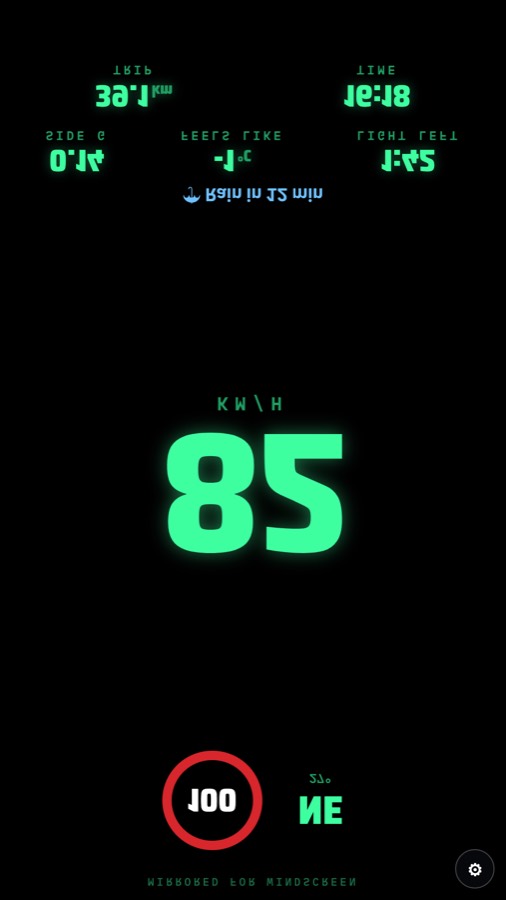
HUD mode: your speed on the windscreen
HUD mode turns your phone into a head-up display. Lay it flat on the dash under the windscreen at night. The screen reflects off the glass, and Throttler mirrors the picture so the reflection reads the right way round.
How to use it
- Open Throttler, choose Car, and pick the HUD dash. It is free.
- Lay the phone flat on the dash, screen up, under the windscreen.
- It works best at night or in low light. In bright sun the reflection is faint.
- Keep the phone plugged in: GPS and a bright screen use a lot of battery.
What it shows
Large GPS speed in km/h or mph. With Throttler Pro in New Zealand and parts of Australia, the speed limit sign and an over-limit alert as well.
Set the app up before you drive and keep your eyes on the road. GPS speed can differ from your car's speedometer, which often reads a little high.
Get Throttler on Google PlayFree on Android. Pro is $0.99 USD a year.